Creating PDFs
PDFs generation requires a lot of expensive compute (RAM, CPU). This is a free site with no ads or income and therefore (sorry) paying for more compute resources isn't something I'm willing to do. Therefore, server-side pdf creation is currently limited:
- Only 1 pdf(s) can generated at a time for the entire site (i.e. you could be in a queue behind other users).
- Only books that have 100 songs or fewer can be generated.
- There is a time limit of 45 seconds.
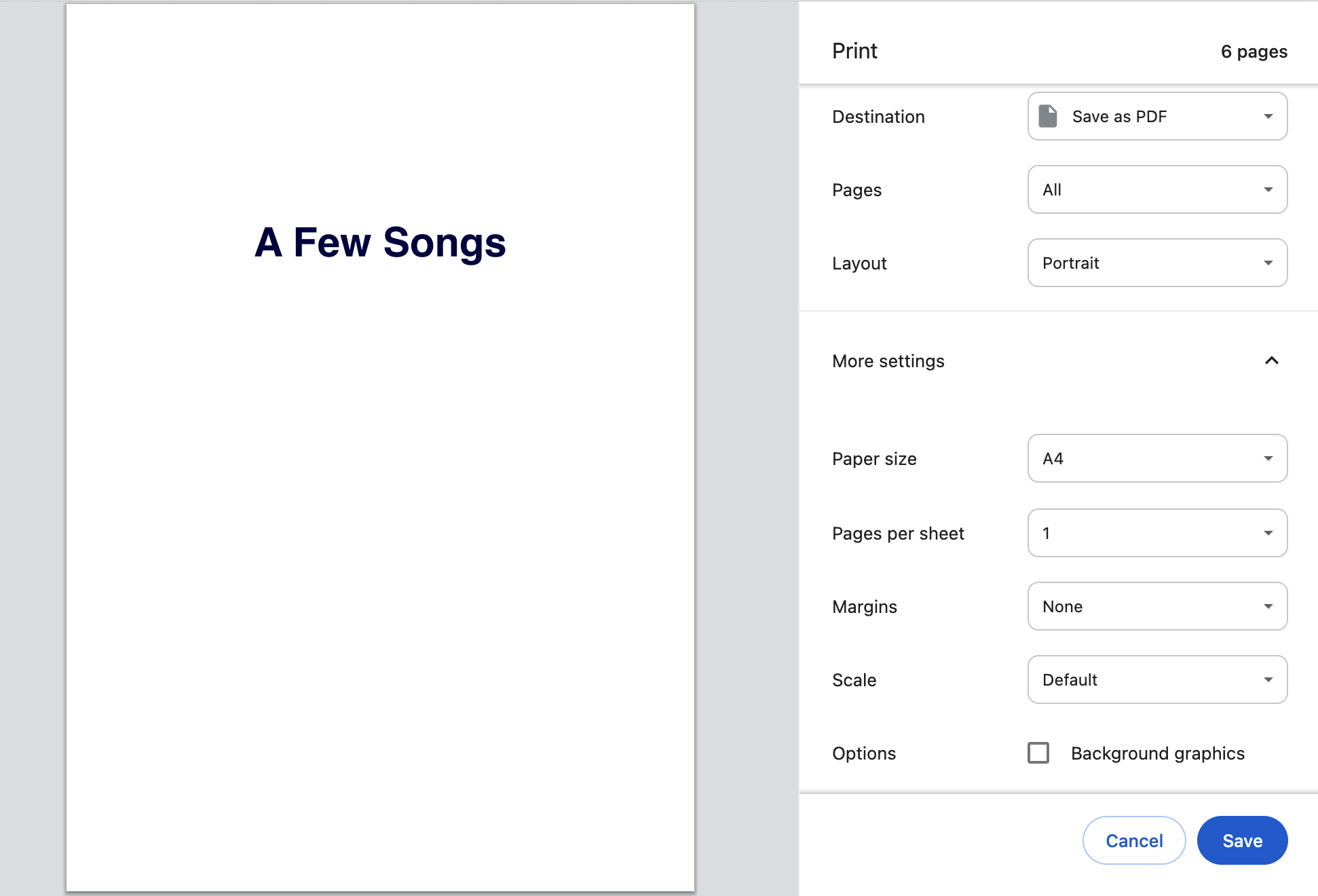
Fortunately, you can use do client-side pdf creation by printing the books in your web browser as PDF.
Instructions:
- Opening the print dialog from the web browser menu (ctrl+p, or cmd+p).
- Ensuring paper size is A4.
- Ensuring margins are set to None.
Example:
This is technically the same as server-side PDF creation but requires a few more clicks from users and a capable web browser (Google Chrome is the reference here but expect Edge and Safari to also just work)